Storyline — Virunga (2014)
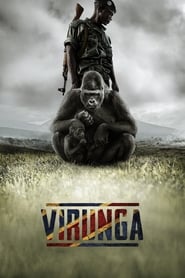
Virunga in the Democratic Republic of the Congo is Africa’s oldest national park, a UNESCO world heritage site, and a contested ground among insurgencies seeking to topple the government that see untold profits in the land. Among this ongoing power struggle, Virunga also happens to be the last natural habitat for the critically endangered mountain gorilla. The only thing standing in the way of the forces closing in around the gorillas: a handful of passionate park rangers and journalists fighting to secure the park’s borders and expose the corruption of its enemies. Filled with shocking footage, and anchored by the surprisingly deep and gentle characters of the gorillas themselves, Virunga is a galvanizing call to action around an ongoing political and environmental crisis in the Congo.
Start the discussion
Nobody has posted about Virunga yet. Sync off? A language missing? Say so.
Frequently asked questions
How many Danish subtitles are there for Virunga?
SubDL has 2 Danish subtitles for Virunga, contributed by 2 different members of the community. Each one is a separate file timed to a particular video release, so pick the entry whose release name is closest to your copy.
Which Danish subtitle should I pick for Virunga?
Match the release name to your video file. The Danish files here cover releases such as Virunga.2014.720p.NF.WEBRip.DD5.1.x264-NTb, Virunga.2014.NORDiC.1080p.WEB-DL.x264-RAPiDCOWS. If none matches exactly, choose the one with the same source (WEB-DL, BluRay, HDTV) and resolution — those usually share the same timing.
How do I add Danish subtitles to Virunga?
Download the .srt and put it next to the video file with the same name, and most players load it automatically. In VLC use Subtitle - Add Subtitle File, in Plex and Jellyfin upload it from the item's subtitle menu, and in Stremio pick it from the subtitle button during playback.
My Danish subtitle for Virunga is out of sync — how do I fix it?
A constant offset means the subtitle was timed to a different release: shift it with G and H in VLC, or J and K in MPV, until the first line matches. If the drift grows through the film, the frame rate differs and a file from the same release group is the better fix.
Do I need an account to download Danish subtitles?
No. Searching and downloading are free and need no account, and there is no daily download limit on ordinary use. An account is only needed to upload subtitles, use the API, or subscribe to a Pro plan.